When buyers scroll through property listings online, photos are the first thing they notice. Long before reading descriptions or checking prices, they form opinions based on images alone. This is where real estate photo editing plays a crucial role.
Real estate photo editing is not about changing a property or making it look unrealistic. It’s about refining images so they accurately reflect the space in its best possible light. Understanding how real estate photo editing works helps agents, photographers, and property owners appreciate why professional editing makes such a difference.
Purpose of Real Estate Photo Editing
The main goal of real estate photo editing is simple: clarity and balance. Cameras often struggle to capture indoor and outdoor lighting evenly, colors may appear off, and wide-angle lenses can distort lines.
Editing corrects these issues so photos feel natural, clean, and easy to view. A well-edited image helps buyers understand the layout, size, and atmosphere of a property without distractions.
Good editing supports honesty rather than exaggeration.
Reviewing the Raw Images
The editing process begins with reviewing the raw photos. These files contain the most detail but usually look flat, dark, or uneven straight out of the camera.
Editors check exposure levels, lighting conditions, window brightness, color casts, and perspective issues. This step helps determine which techniques—such as HDR blending, window masking, or perspective correction—are needed for each image.
Every property is different, so no two editing workflows are exactly the same.
Color Correction and White Balance
Color accuracy is critical in real estate photography. Incorrect color tones can make walls look yellow, floors look green, or rooms feel cold and uninviting.
Editors adjust white balance and color tones so whites look neutral and the space feels natural. This ensures that paint colors, flooring, and furniture appear as they would in real life.
Subtle color correction often makes a bigger difference than people realize.
Exposure and Lighting Adjustment
One of the first actual edits involves balancing the light. Interior photos often need brightening, while highlights near windows may need to be reduced.
The goal is to create even lighting across the room so nothing feels too dark or too harsh. Proper exposure helps rooms feel open and welcoming without looking washed out.
This step lays the foundation for all other edits.
Color Correction and White Balance
Color accuracy is critical in real estate photography. Incorrect color tones can make walls look yellow, floors look green, or rooms feel cold and uninviting.
Editors adjust white balance and color tones so whites look neutral and the space feels natural. This ensures that paint colors, flooring, and furniture appear as they would in real life.
Subtle color correction often makes a bigger difference than people realize.
Perspective Correction
Wide-angle lenses are commonly used to show more of a room, but they often cause walls and vertical lines to lean.
Perspective correction straightens walls, doors, and windows so rooms look balanced and stable. This step improves realism and prevents properties from appearing distorted or poorly constructed.
When done properly, perspective correction is invisible to the viewer.
Window Masking and View Control
Bright windows are one of the biggest challenges in real estate photos. Without editing, windows can appear completely white, hiding outdoor views.
Window masking allows editors to adjust window brightness separately from the interior. This reveals outdoor details while keeping the room well-lit.
The result is a clean, realistic balance between indoor and outdoor light.
Detail Cleanup and Retouching
Once the main adjustments are complete, editors focus on small details. This may include removing minor distractions such as cords, light switches, stains, or reflections.
The purpose is not to change the property, but to remove visual noise that pulls attention away from the space itself.
Good retouching is subtle and respectful of the property’s actual features.
Advanced Edits (When Needed)
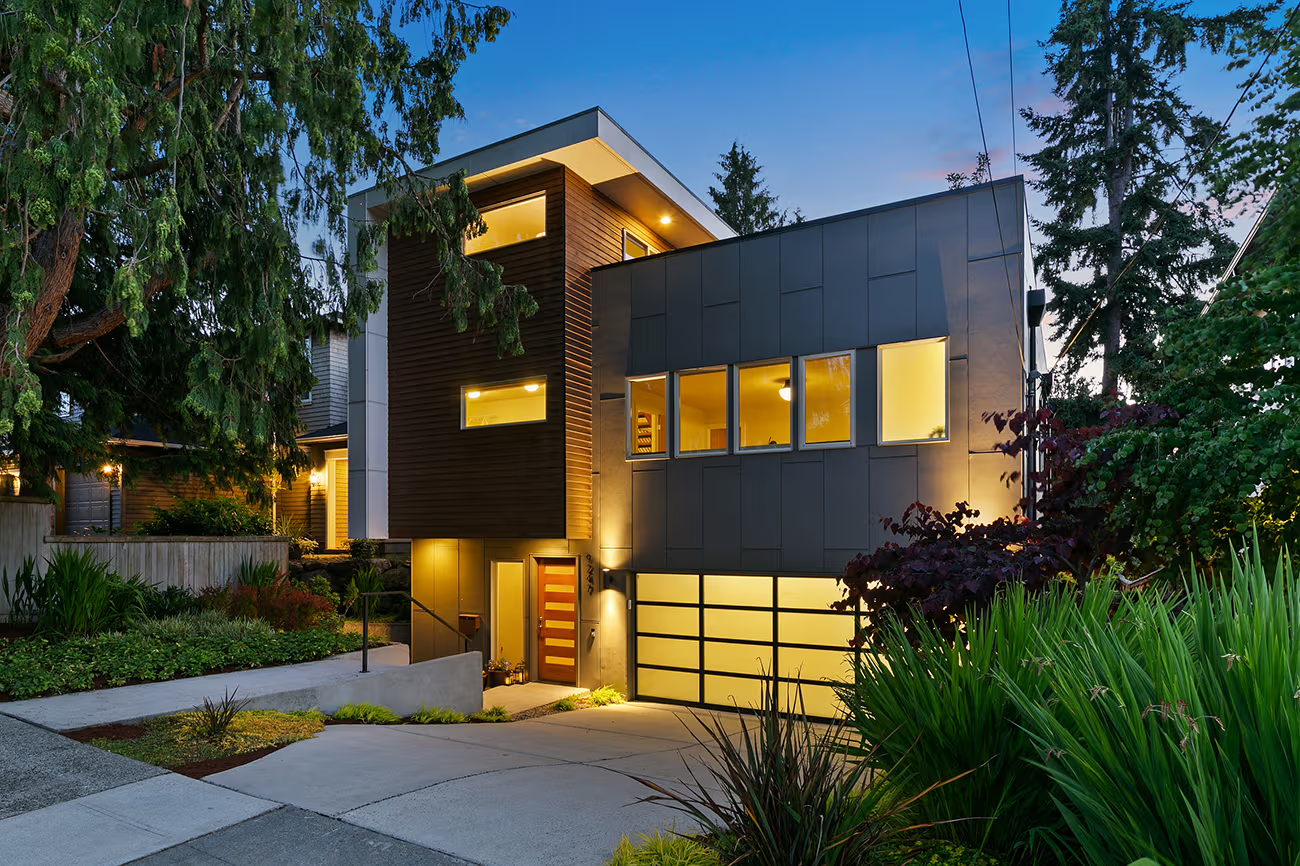
Some listings require advanced editing techniques. These may include HDR blending for complex lighting situations, sky replacement for dull exterior shots, or day-to-dusk editing for evening-style visuals.
These techniques are used selectively and should always look realistic. Overuse can make images feel artificial and reduce trust.
Professional editors know when advanced edits add value—and when they don’t.
Final Review and Consistency Check
Before delivery, images are reviewed as a full set. Editors check that brightness, color tones, and style remain consistent across all photos in the listing.
Consistency helps the property feel cohesive and professionally presented. Buyers are more likely to engage with listings that feel visually balanced from start to finish.
Why Professional Editing Makes a Difference
Professional real estate photo editing combines technical skill with visual judgment. It’s not just about using software—it’s about knowing how far to go and when to stop.
Well-edited photos attract more attention, create better first impressions, and help listings stand out in competitive markets.
In many cases, editing is the difference between a listing that gets ignored and one that gets noticed.
Conclusion
Real estate photo editing works behind the scenes to transform raw images into polished, professional visuals. Through careful adjustments to lighting, color, perspective, and details, editing helps properties look clear, balanced, and inviting.
When done correctly, editing doesn’t draw attention to itself. It simply allows the property to speak for itself—clearly, honestly, and effectively.
FAQs About Real Estate Photo Editing
How long does real estate photo editing take?
Turnaround times usually range from 12 to 24 hours, depending on volume and complexity.
Is real estate photo editing necessary for every listing?
Most listings benefit from basic editing, even if the photos already look good.
Can editing change how a property really looks?
Professional editing enhances clarity but does not alter the structure or layout of the property.
Do photographers edit photos themselves?
Some do, but many outsource editing to save time and ensure consistency.